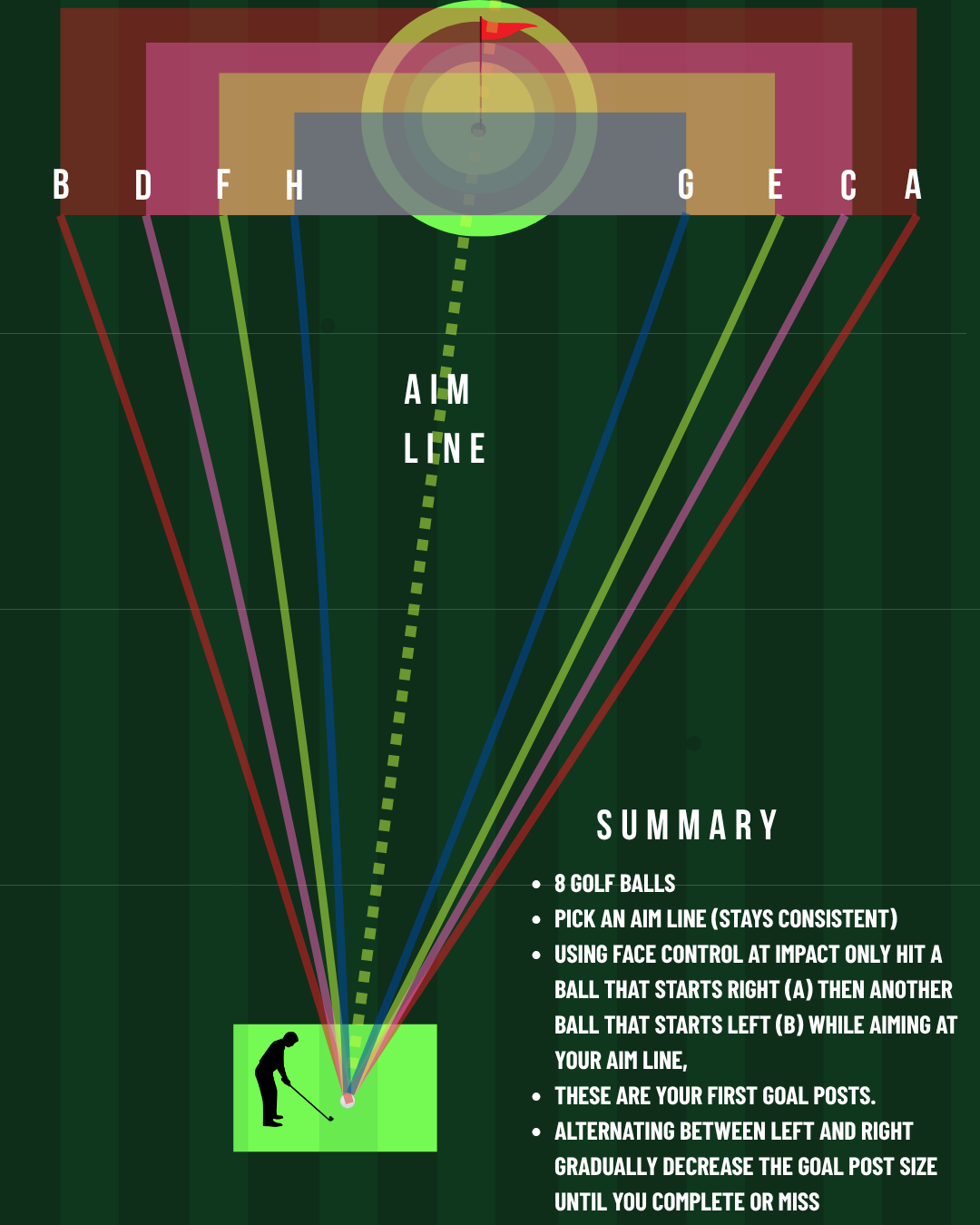
Shrinking Goal Posts

Using only half swings control the face Part of Golf training — score against par, track every attempt in the app, and see real improvement.

Intermediate Par 6 Max 9

What this drill fixes

This golf practice drill is designed to give you a clear goal, a par to beat, and a score on every attempt — so you stop hitting balls with no plan and start measuring real improvement. Use it in the TeeBetter app to track your progress over time.

Equipment

  • Irons

Setup

No special setup required.

How to play

  1. Pick a target straight down the range as far as you like (I suggest starting with half swings so shorter distances)
  • Still aiming at your target in setup, hit your first shot as far right as you can using only clubface control at impact
  • Still aiming at your target in setup, hit your next shot as far left as you can using only clubface control at impact. You have now created your goal posts (take visual note of this)
  • The goal now is to repeat this process making the goal posts smaller each time
  1. See how many shots you can hit until you reach your initial target
  2. If you fail the challenge ends

Scoring

See challenge description.

Target: Par 6 — Max possible: 9

Common questions about Golf drills

How do I use golf practice drills effectively?

Pick one or two drills per session with a clear par to beat. Follow the setup and scoring rules, log every attempt, and track your scores over time so you can see improvement instead of relying on feel.

Where can I find structured golf drills with scoring?

TeeBetter offers 25+ scored challenges across strike control, start direction, tempo and distance, and pressure. Each drill has setup, how to play, and a par — use the app at the range to track your score and progress.

Practice this drill in the app — track every score, beat par, and see your progress over time. Free to start.